Implementing a simple OWS service
This section explains How to Create a Simple GeoServer OWS service for Geoserver using the following scenario. The service should supply a capabilities document which advertises a single operation called “sayHello”. The result of a sayHello operation is the simple string “Hello World”.
Contents
Setup
The first step in creating our plug-in is setting up a maven project for it. The project will be called “hello”.
- Create a new directory called hello anywhere on your file system.
- Add a maven pom called pom.xml to the hello directory:
<?xml version="1.0" encoding="ISO-8859-1"?>
<project xmlns="http://maven.apache.org/POM/4.0.0" xmlns:xsi="http://www.w3.org/2001/XMLSchema-instance"
  xsi:schemaLocation="http://maven.apache.org/POM/4.0.0 http://maven.apache.org/maven-v4_0_0.xsd">

  <modelVersion>4.0.0</modelVersion>

  <!-- set parent pom to community pom -->
  <parent>
    <groupId>org.geoserver</groupId>
    <artifactId>community</artifactId>
    <version>2.0.1</version>
  </parent>

  <groupId>org.geoserver</groupId>
  <artifactId>hello</artifactId>
  <packaging>jar</packaging>
  <version>1.0</version>
  <name>Hello World Service Module</name>

  <!-- declare depenency on geoserver main -->
  <dependencies>
    <dependency>
      <groupId>org.geoserver</groupId>
      <artifactId>main</artifactId>
      <version>2.0.1</version>
    </dependency>
  </dependencies>

  <repositories>
    <repository>
       <id>opengeo</id>
       <name>opengeo</name>
       <url>http://repo.opengeo.org</url>
    </repository>
  </repositories>

</project>
Create a java source directory, src/main/java under the hello directory:
hello/
  + pom.xml
  + src/
    + main/
      + java/
Creating the Plug-in
A plug-in is a collection of extensions realized as spring beans. In this example the extension point of interest is a HelloWorld POJO (Plain Old Java Object).
- Create a class called HelloWorld:
import java.io.IOException;
import javax.servlet.ServletException;
import javax.servlet.http.HttpServletRequest;
import javax.servlet.http.HttpServletResponse;

public class HelloWorld {

  public HelloWorld() {
    // Do nothing
  }

  public void sayHello(HttpServletRequest request, HttpServletResponse response)
  throws ServletException, IOException {
    response.getOutputStream().write( "Hello World".getBytes() );
  }
}
The service is relatively simple. It provides a method sayHello(..) which takes a HttpServletRequest, and a HttpServletResponse. The parameter list for this function is automatically discovered by the org.geoserver.ows.Dispatcher.
- Create an applicationContext.xml declaring the above class as a bean.
<?xml version="1.0" encoding="UTF-8"?>
<!DOCTYPE beans PUBLIC "-//SPRING//DTD BEAN//EN" "http://www.springframework.org/dtd/spring-beans.dtd">

<beans>
    <!-- Spring will reference the instance of the HelloWorld class
           by the id name "helloService" -->
    <bean id="helloService" class="HelloWorld">
        </bean>

    <!-- This creates a Service descriptor, which allows the org.geoserver.ows.Dispatcher
           to locate it. -->
        <bean id="helloService-1.0.0" class="org.geoserver.platform.Service">
    <!-- used to reference the service in the URL -->
        <constructor-arg index="0" value="hello"/>

        <!-- our actual service POJO defined previously -->
        <constructor-arg index="1" ref="helloService"/>

        <!-- a version number for this service -->
        <constructor-arg index="2" value="1.0.0"/>

        <!-- a list of functions for this service -->
        <constructor-arg index="3">
            <list>
                <value>sayHello</value>
            </list>
        </constructor-arg>

        </bean>
</beans>
At this point the hello project should look like the following:
hello/
  + pom.xml
  + src/
    + main/
      + java/
        + HelloWorld.java
        + applicationContext.xml
Trying it Out
- Install the hello module:
[hello]% mvn install
[hello]% mvn install

[INFO] Scanning for projects...
[INFO] ----------------------------------------------------------------------------
[INFO] Building Hello World Service Module
[INFO]    task-segment: [install]
[INFO] ----------------------------------------------------------------------------
[INFO] [resources:resources]
[INFO] Using default encoding to copy filtered resources.
[INFO] [compiler:compile]
[INFO] Compiling 1 source file to /home/ak/geoserver/community/hello/target/classes
[INFO] [resources:testResources]
[INFO] Using default encoding to copy filtered resources.
[INFO] [compiler:testCompile]
[INFO] No sources to compile
[INFO] [surefire:test]
[INFO] No tests to run.
[INFO] [jar:jar]
[INFO] Building jar: /home/ak/geoserver/community/hello/target/hello-1.0.jar
[INFO] [jar:test-jar {execution: default}]
[WARNING] JAR will be empty - no content was marked for inclusion!
[INFO] Building jar: /home/ak/geoserver/community/hello/target/hello-1.0-tests.jar
[INFO] [install:install]
[INFO] Installing /home/ak/geoserver/community/hello/target/hello-1.0.jar to /home/ak/.m2/repository/org/geoserver/hello/1.0/hello-1.0.jar
[INFO] Installing /home/ak/geoserver/community/hello/target/hello-1.0-tests.jar to /home/ak/.m2/repository/org/geoserver/hello/1.0/hello-1.0-tests.jar
[INFO] ------------------------------------------------------------------------
[INFO] BUILD SUCCESSFUL
[INFO] ------------------------------------------------------------------------
[INFO] Total time: 6 seconds
[INFO] Finished at: Fri Sep 21 14:52:31 EDT 2007
[INFO] Final Memory: 27M/178M
[INFO] -----------------------------------------------------------------------
- Copy target/hello-1.0.jar into the WEB-INF/lib directory of your GeoServer install
- Restart GeoServer
- Visit http://<host>/geoserver/ows?request=sayHello&service=hello&version=1.0.0
- request
- the method we defined in our service
- service
- the name we passed to the Service descriptor in the applicationContext.xml
- version
- the version we passed to the Service descriptor in the applicationContext.xml
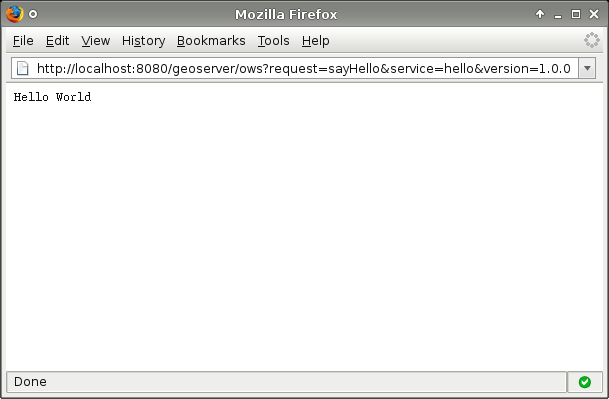
Alternative 1: Bundling with Web Module
An alternative is to declare a dependency from the web module on the new plugin project.
- Install the hello module as above.
- Edit web/pom.xml and add the following dependency:
<dependency>
    <groupId>org.geoserver</groupId>
    <artifactId>hello</artifactId>
    <version>1.0</version>
</dependency>
- Install and run the web module
[web] mvn install jetty:run
Alternative 2: Running from GeoServer Source
As an alternative to trying the plugin:
- Install the hello module
- Change directory to the web module
- Install the web module
- Copy <hello module>/target/hello-1.0.jar to <web module>/target/geoserver/WEB-INF/lib:
[/dev/geoserver/web]% cp ~/hello/target/hello-1.0.jar target/geoserver/WEB-INF/lib
- Run the exploded war with Jetty:
[/dev/geoserver/web]% mvn jetty6:run-exploded