

| |
Previous | Content | Next | |
| Architecture | Design and test business data | |||
User category means a group of users which match certain rules. Unlike RBAC model and others, ralasafe don't assign users to a group statically. If a user matches the rule of user category, we say the user belongs to this user category.
Example: head office user category's rule is: user's companyLevel field value equals to 1. So Alexis Stark's companyLevel is 1, he belongs to this use category. John Smith' companyLevel is 2, which means he doesn't belong to this user category.
User category's rule can do comparison(in, >, <, >=, !=, is null, is not null, etc), calculation, and expression group operations. And rules can extract data from user, context, database query, or a fixed value.
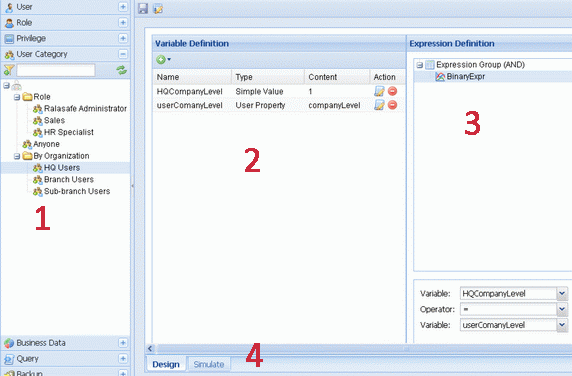
The GUI contains four parts:
Take "HQ Users" user category for example, which means user's companyLevel value must be integer 1. We create two variables:
| Steps | Screen show |
|---|---|
| 1, Simple value, integer 1. Click add button, then select "Simple Value" | 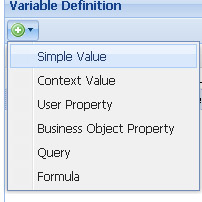 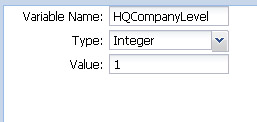 |
| 2, User value, engine will read user's property 'companyLevel'. Click add button and select "User Property". | 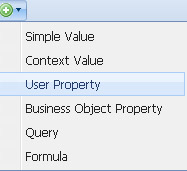 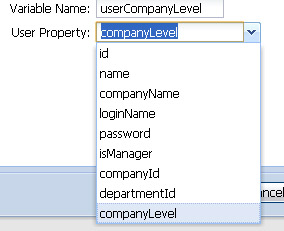 |
Then there are two ways to define expression:
| Ways | Screen show |
|---|---|
| 1, Designing. Right click "Expression Group(AND)", select "New Binary Expression"; | 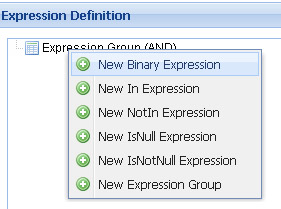 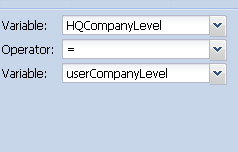 |
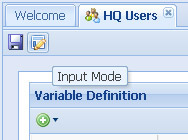
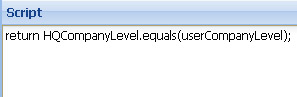
2, Or writing the rule. It' very useful, when the rule is too complicated to design. In this way, you can use variables defined, and call your own java business code. Click input mode button which is beside save icon. |
  |
Using expression group for complex expression. There are two linker types for group: AND/OR.
When two user categories are very similar, you can copy it and make small changes instead of designing it from scratch.
We have designed "HQ Users". Now we can design "Branch Users" by copying "HQ Users", and change HQCompanyLevle to BranchCompanyLevel, and change its value to 2. Very easy, very fast.
When designing work is finished, we can test(simulate) it online immediately. This is a sample simulation screen:
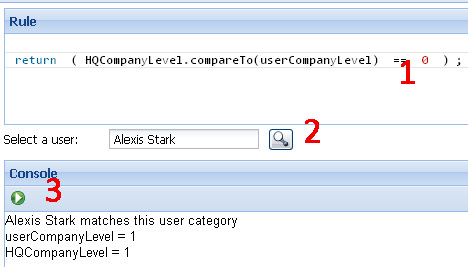
It contains three parts:
| |
Previous | Content | Next | |
| Architecture | Design and test business data | |||