|  |  |  |  |
| | | | |
 |  |
To run this example you will need to do the following:
Make sure that you have Maven 2.0.6 or greater installed on your system.
You can download Maven from http://maven.apache.org/.
Start an instance of the FUSE ESB.
You can start an instance of the FUSE ESB container by doing the following:
Change to the root folder of your installation.
Run .\bin\servicemix.bat or ./bin/servicemix.sh depending on your platform.
To build and deploy the example do the following:
Change to the root folder of the example.
cd InstallDir/examples/cxf-osgi
Enter the following command:
mvn install
This command will build a bundle called
cxf-osgi-4.0.0-fuse.jarand place it into the
target folder of the example.
Copy the bundle to
InstallDir/deploy to
deploy it to the container.
To see if the example is running you can visit http://localhost:8080/cxf/HelloWorld?wsdl in your Web browser. You should see the WSDL shown in Example 3.1.
Example 3.1. OSGi Example WSDL
<wsdl:definitions name="HelloWorldImplService"
                  targetNamespace="http://cxf.examples.servicemix.apache.org/">
  <wsdl:types>
    <xs:schema attributeFormDefault="unqualified"
               elementFormDefault="unqualified"
               targetNamespace="http://cxf.examples.servicemix.apache.org/">
      <xs:complexType name="sayHi">
        <xs:sequence>
          <xs:element minOccurs="0" name="arg0" type="xs:string"/>
         </xs:sequence>
       </xs:complexType>
       <xs:complexType name="sayHiResponse">
         <xs:sequence>
           <xs:element minOccurs="0" name="return" type="xs:string"/>
         </xs:sequence>
       </xs:complexType>
       <xs:element name="sayHi" nillable="true" type="sayHi"/>
       <xs:element name="sayHiResponse" nillable="true" type="sayHiResponse"/>
     </xs:schema>
  </wsdl:types>
  <wsdl:message name="sayHiResponse">
    <wsdl:part element="tns:sayHiResponse" name="parameters">
    </wsdl:part>
  </wsdl:message>
  <wsdl:message name="sayHi">
    <wsdl:part element="tns:sayHi" name="parameters">
    </wsdl:part>
  </wsdl:message>
  <wsdl:portType name="HelloWorld">
    <wsdl:operation name="sayHi">
      <wsdl:input message="tns:sayHi" name="sayHi">
      </wsdl:input>
      <wsdl:output message="tns:sayHiResponse" name="sayHiResponse">
       </wsdl:output>
    </wsdl:operation>
  </wsdl:portType>
  <wsdl:binding name="HelloWorldImplServiceSoapBinding" type="tns:HelloWorld">
    <soap:binding style="document" transport="http://schemas.xmlsoap.org/soap/http"/>
      <wsdl:operation name="sayHi">
        <soap:operation soapAction="" style="document"/>
        <wsdl:input name="sayHi">
          <soap:body use="literal"/>
        </wsdl:input>
        <wsdl:output name="sayHiResponse">
          <soap:body use="literal"/>
        </wsdl:output>
      </wsdl:operation>
  </wsdl:binding>
  <wsdl:service name="HelloWorldImplService">
    <wsdl:port binding="tns:HelloWorldImplServiceSoapBinding" name="HelloWorldImplPort">
      <soap:address location="http://localhost:8080/cxf/HelloWorld"/>
    </wsdl:port>
  </wsdl:service>
</wsdl:definitions>
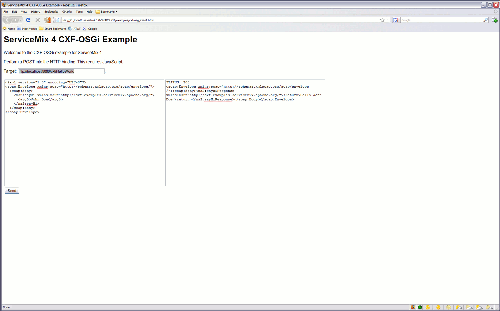
You can also open client.html in your browser. Figure 3.1 shows what the screen should look
like.
| |  | |
 |