

Configure Superset
About This Task
Configure Superset, the data exploration and visualization UI platform.
Steps
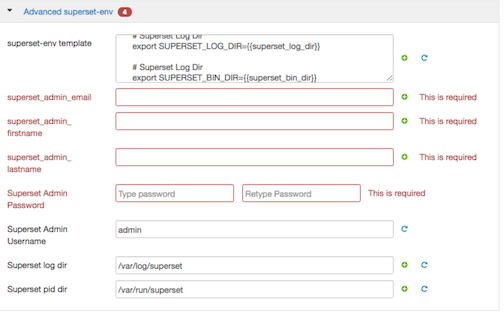
Provide values for required fields.
![[Note]](../common/images/admon/note.png)
Note The password is used to log into the SuperSet UI. You should NOT use special characters in the password due to a bug.
One of the more powerful visualizations that Superset offers is integration with MapBox. If you want to use this visualization, do the following:
Create an account at MapBox.
After account creation, in MapBox, you can need create a token for API Access. Leave all the defaults for token creation.
You are given a token API key.
Enter that token API key in the Druid Service under Ambari for the config called MAPBOX_API_KEY under section Advanced druid-superset.
