Cluster Management
This is the section (available only for the Enterprise Edition) to work with OrientDB Cluster as DBA/DevOps. This is an exclusive feature introduced in OrientDB 2.2 Studio specifically for the Enterprise Edition.
On the top of the page are reported the number of active nodes joining your cluster.
Overview
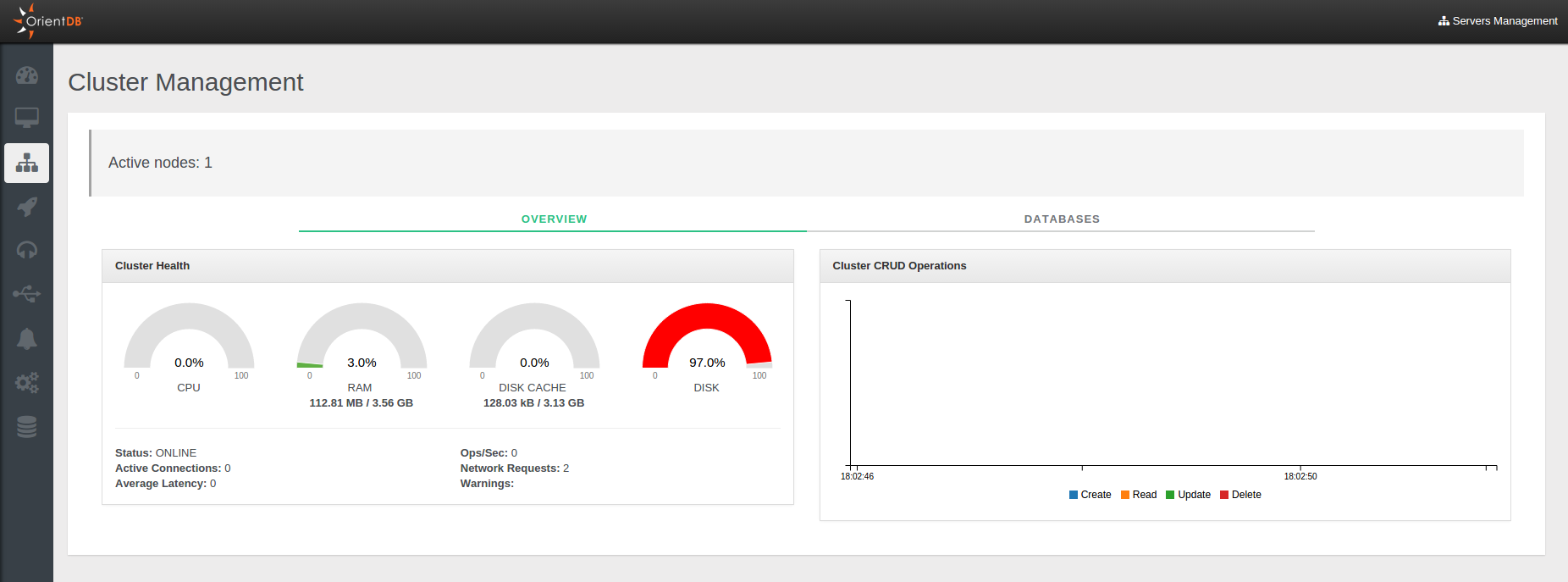
This page summarizes all the most important information about all servers connected to the cluster:
CPU,RAM,DISK CACHEandDISKusedStatusOperations per secondActive ConnectionsNetwork RequestsAverage LatencyWarningsLive chartwith CRUD operations in real-time
Databases
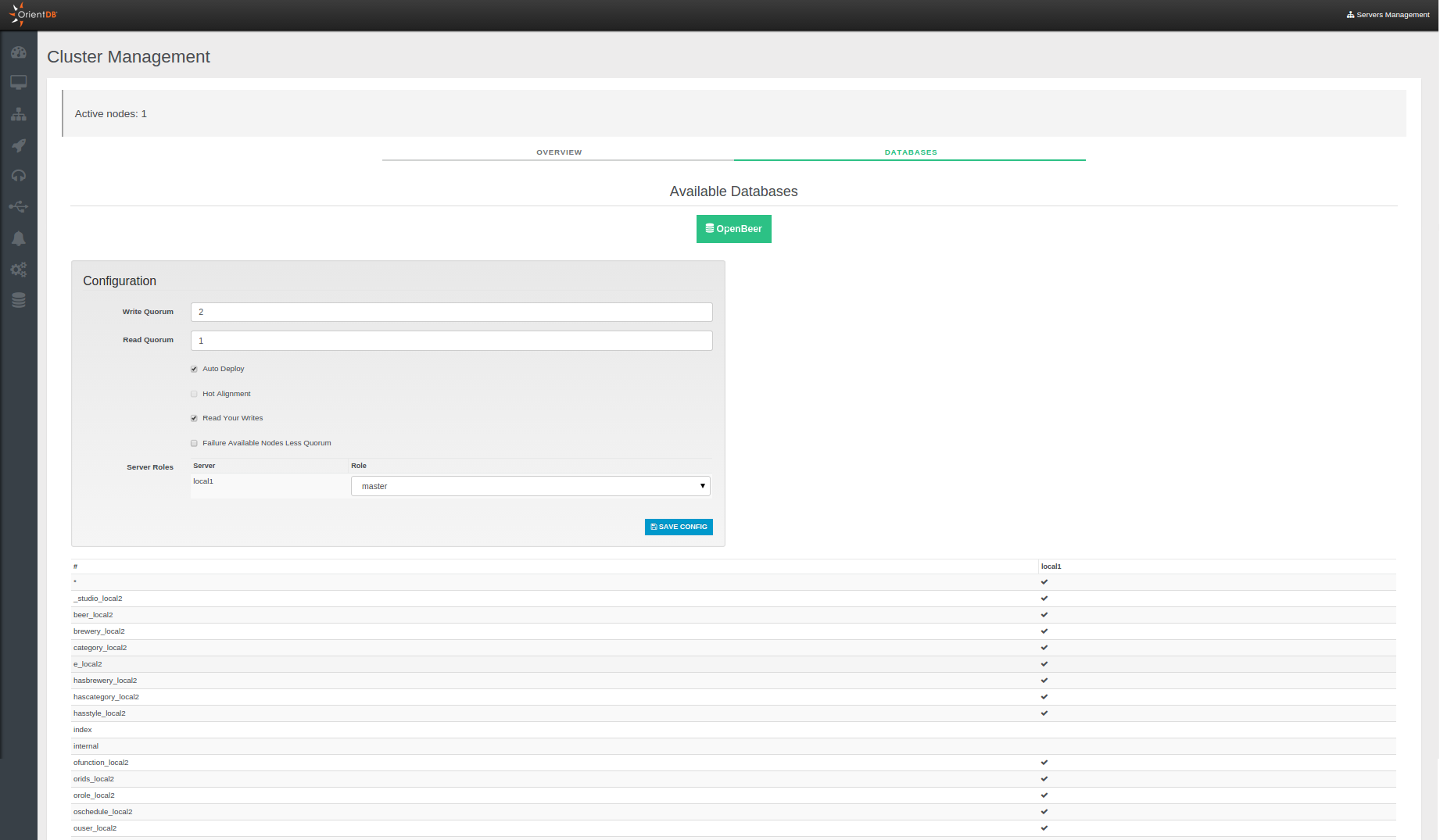
In this panel you can see all databases present on each server joining your cluster.
Through the box above you can change in real time the current cluster configuration, without touching the config/default-distributed-db-config.json file content. You can set the following parameters:
Write QuorumRead QuorumAuto DeployHot AlignmentRead your WritesFailure Available Nodes Less QuorumServer Roles, roles may be "Master" or "Replica"
If you want know more about these configuration parameters you can view the Distributed Configuration page.