

| |
Previous | Content | Next | |
| Design and test business data | Assign security policy to query privilege | |||
Ralasafe query designer helps developer design queries instead of writing DAO codes. Ralasafe's query prepares statement, sets parameter values and returns instances collection of your specified mapping class. Parameter values can extract from user, context etc.
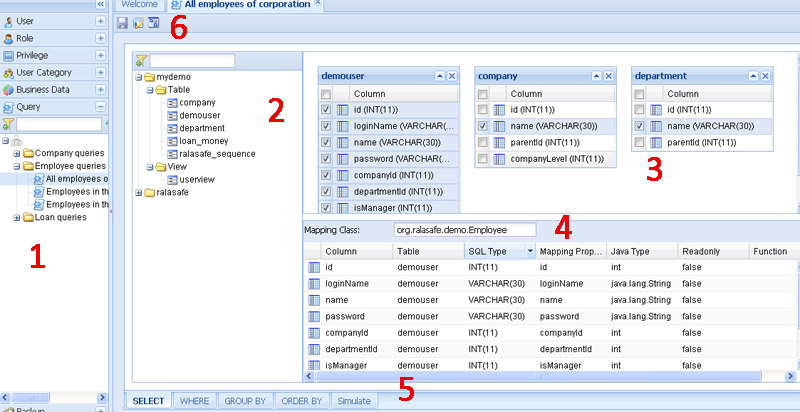
Query designer contains these parts:
The designer shows application datasource which is configured in WEB-INF/ralasafe/datasources.xml. If your application datasource has many schemas, you can specify schemas attribute in datasouces.xml, ralasafe designer only shows those schemas' tables and views for faster web transfer.
Let's take query "Employees in the same branch or sub-branches"' in ralasafe demo for example. Our goal is to design where conditions:
where   demouser.companyId=company.id
    and demouser.departmentId=department.id
    and (company.id=${user.get("companyId"}
         or company.parentId=${user.get("companyId")}
The steps are:
| Steps | Screen show |
|---|---|
| 1, Right click "Expression Group(And)", select "New Binary Expression" | 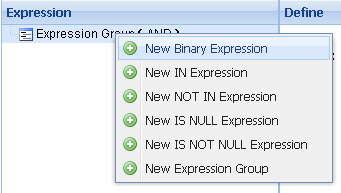 |
| 2, Click the first operand, choose demouser.companyId from drop list | 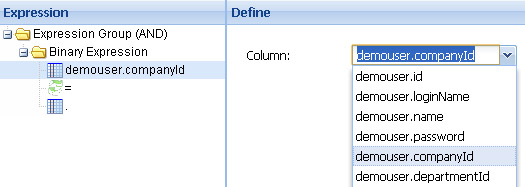 |
| 3, Click the second operand, choose company.id from drop list | 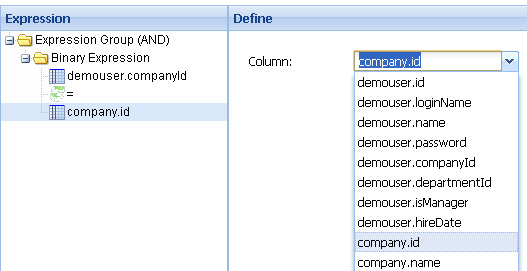 |
| 4, So far we have designed demouser.companyId=company.id. Now we design demouser.departmentId=department.id in the same way | 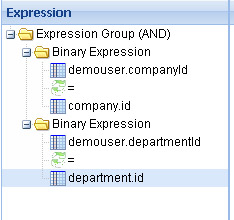 |
| 5, Add an "Or expression group". Right click "Expression Group (AND)", select "New Expression Group", then select "OR" linker from right panel | 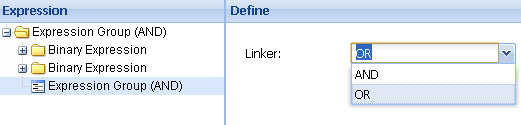 |
| 6, Add new binary expression, select company.id for the first operand. Right click the second operand, select "Replace with User Property" | 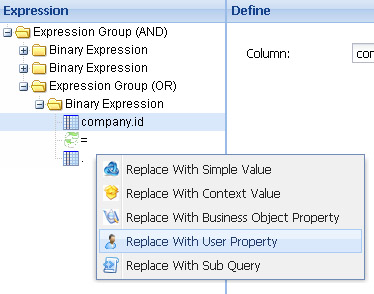 |
| 7, Select "companyId" from the drop list | 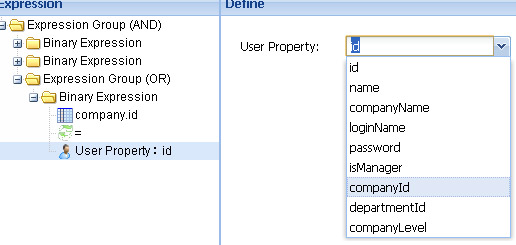 |
| 8, Similiarly, add another expression: company.parentId=user.companyId | 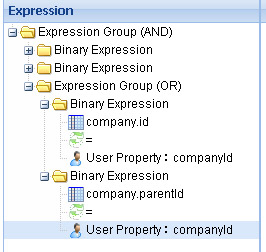 |
It's very easy to use, and we can finish it in 10 seconds.
If your query is too complicated to design, you can switch to edit mode to write sql directly.
When two queries are very similiar, you can copy it and make small changes instead of designing it from scratch.
We have designed "Employees in the same branch or sub-branches". Now we can design "All employees of corporation" by first copying "Employees in the same branch or sub-branches", and then deleting the last expression group. Very easy, very fast.
When designing work is finished, we can test(simulate) it online immediately. This is a sample of simulation screen:
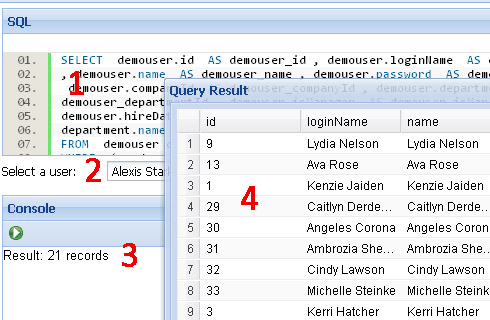
It contains four parts:
| |
Previous | Content | Next | |
| Design and test business data | Assign security policy to query privilege | |||