Physics simulation
Intermediate Programmer
Xenko's physics are controlled by the Simulation class. You can change how Xenko initializes the simulation by modifying flags in PhysicsSettings, accessed in the GameSettings asset properties.
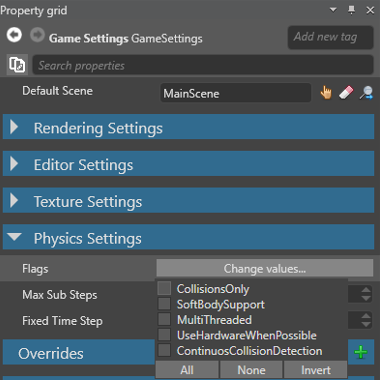
CollisionsOnlyinitializes the Simulation with collision detection turned on, but no other physics. Objects won't react to physical forces.ContinuousCollisionDetectioninitializes the Simulation with continuous collision detection (CCD). CCD prevents fast-moving entities (such as bullets) erroneously passing through other entities.
Note
The SoftBodySupport, MultiThreaded, and UseHardwareWhenPossible flags are currently disabled.
At runtime, you can change some Simulation parameters:
Gravity— the global gravity, in world units per second squaredFixedTimeStep— the length of a simulation timestep, in secondsMaxSubSteps— the maximum number of fixed timesteps the engine takes per update