Oscar 0.5 release notes
Welcome to Oscar 0.5!
These release notes cover the new features as well as upgrading advice.
Overview
The main aim of this release was to add functionality to offers but scope expanded over time to include many fixes and improvements. Whilst there aren’t that many new features from a customer perspective, a great deal of work has gone into reworking Oscar’s structure to be more extensible.
Thanks to all the contributors who helped with this release.
What’s new in Oscar 0.5?
Offers++
Most of the new features in 0.5 are around offers.
It is now possible to create custom ranges, conditions and benefits that can be used to create flexible offers. These ranges are created as Python classes conforming to a set interface which are registered at compile time to make them available in the dashboard.
Offer benefits can now apply to the shipping charge for an order. Previously, all benefits were applied against the basket lines. There are three shipping benefits ready to use:
- Fixed discount off shipping (eg get £5 off your shipping costs)
- Percentage discount off shipping (eg get 25% off your shipping costs)
- Fixed price shipping (eg your shipping charge will be £5)
Offer benefits can now be deferred. That is, they don’t affect either the basket lines nor the shipping charge. This is useful for creating benefits such as awarding loyalty points.
Several new ways of restricting an offer’s availability have been introduced:
- An offer’s lifetime can now be controlled to the second rather to the day (ie the relevant model fields are datetimes rather than dates). This makes it possibly to run offers for a small amount of time (eg for a single lunchtime).
- An offer can be restricted to a max number of applications per basket/order. For example, an offer can configured so that it can only be used once in a single order.
- An offer can be restricted to a max number of applications per user.
- An offer can be restricted to a max number of global applications.
- An offer can be restricted to give a maximum total discount. After this amount of discount has been awarded, the offer becomes unavailable.
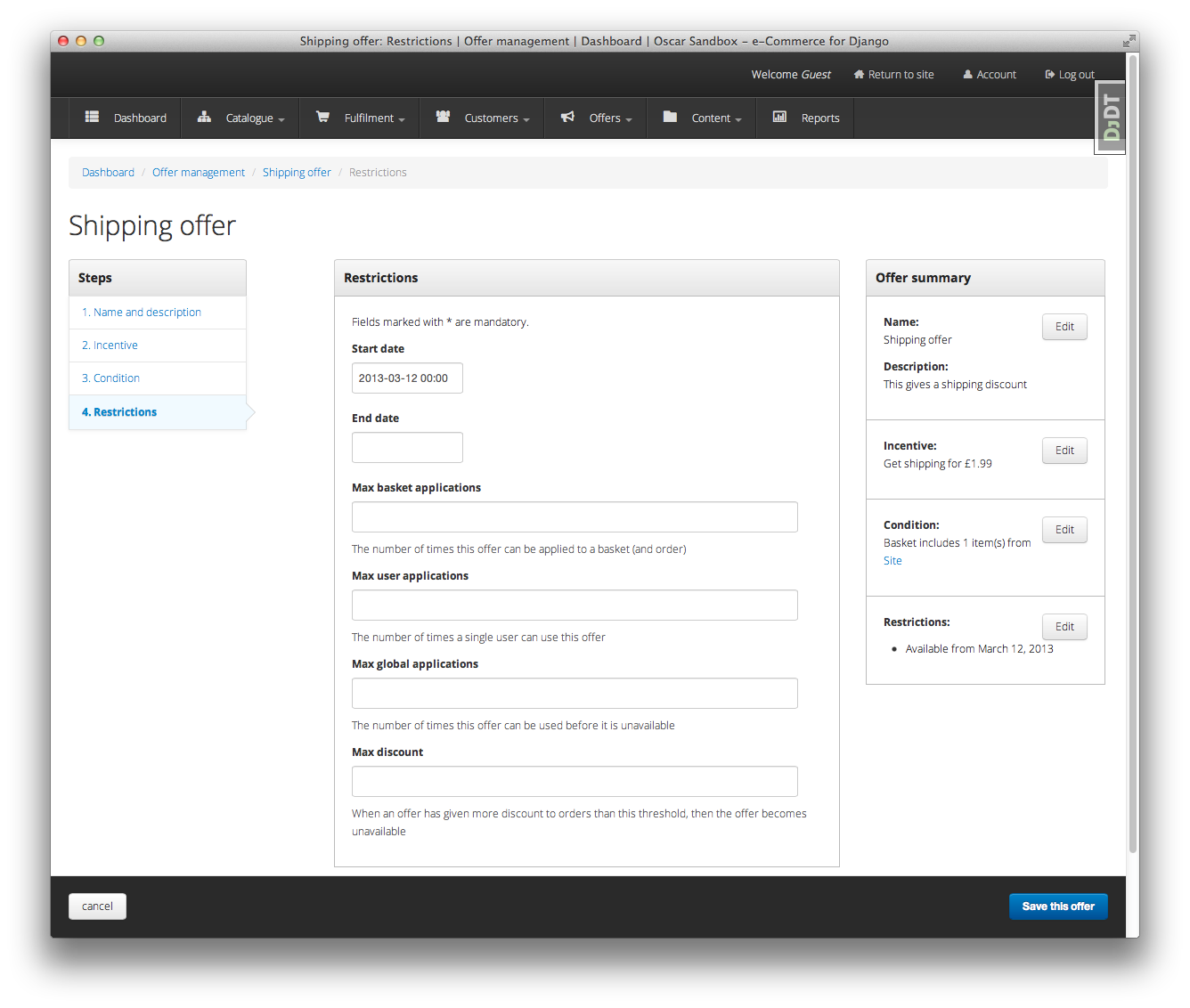
The restrictions editing page for an offer within the dashboard.
- Offers can now be suspended and reinstated.
- The offers dashboard has been rewritten.
- There is now an offers homepage that lists all active offers.
New dashboard skin
The design of the dashboard has been reworked, offering a better user experience throughout the dashboard. This work is still ongoing, further improvements in how the dashboard pages are laid out will appear in 0.6.

The new dashboard navigation.
Internationalisation
Oscar now uses Transifex to manage its translation files. Since 0.4, a considerable number of new languages are now supported (although many have partial coverage).
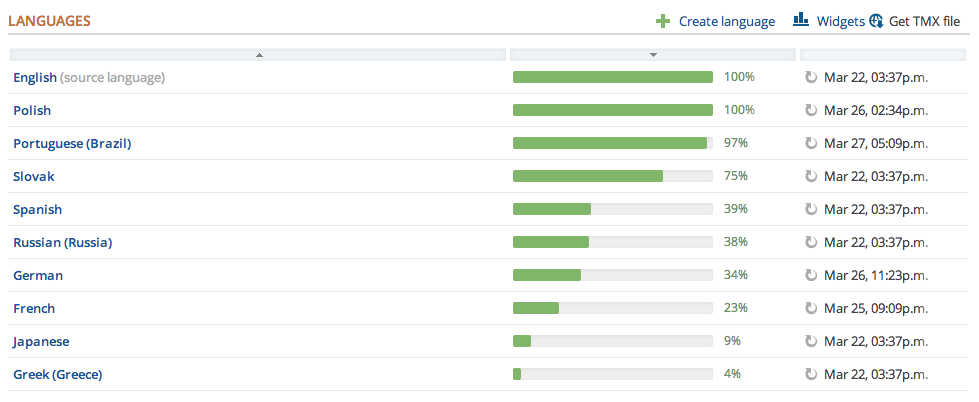
A snippet from the Oscar Transifex page.
Oscar’s default templates also now support a simple language picker.
New settings have been introduced to control how slugs are generated. By default, the unidecode package is used to gracefully handle non-ASCII chars in slugs.
Minor features
There are several noteworthy smaller improvements
- The basket page now updates using AJAX rather than page reloads.
- Oscar’s documentation has been reorganised and improved. This is part of an ongoing effort to improve it. Watch this space.
- Oscar’s template now use django-compressor to compress CSS and JS assets.
- Products can now be deleted using the catalogue dashboard.
- Warnings emails are sent to customers when their password or email address is changed.
- Flash messages can now contain HTML.
Minor improvements
Several improvements have been made to ease development of Oscar (and Oscar projects):
- The sandbox can be configured to compile the LESS files directly. This is useful for developing Oscar’s CSS/LESS files.
- A new management command
oscar_fork_staticshas been added to help with setting up static files for a new Oscar project. - Alternative templates can now be used for different product classes in product browsing views.
- jQuery upgraded to 1.9.1
- Bootstrap upgraded to 2.3.1
- The test runner can now be run with tox.
- Oscar ships with profiling tools. There is a decorator and middleware
available in
oscar.profilingthat can be used to help profile Oscar sites. - Customers are notified if changes to their basket lead to new offers being applied (or if previously applied offers are no longer available).
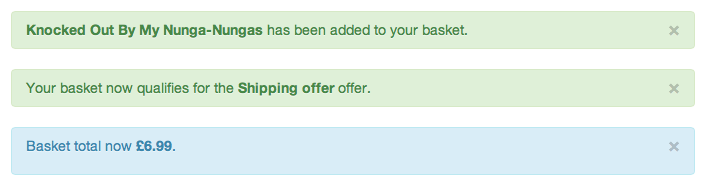
A flash message indicating that the customer’s basket has now qualified for a new offer.
- Some testing utilities have been extracted into a new package, django-oscar-testsupport, so they can be used by Oscar extensions.
- A Vagrant manifest is provided for testing Oscar against different database vendors.
- Oscar’s javascript has been rewritten to be cleaner and more extensible.
- Coverage data is now submitted to coveralls.io
Upgrading
This section describes changes in core Oscar that you need to be aware of if you are upgrading from 0.4. See the upgrading guidelines for further details on the steps you need to take.
Migrations
There are new migrations in the following apps to be aware of.
Address:
0002: Makepostcodenullable on theAddressmodel
Catalogue:
0009: Add aratingfield to the product model0010: Populate the newratingfield
Note
Note, if you are using a customised version of the catalogue app, then you
should create a similar data migration to 0010 in your own project.
Offer:
0007: Addmax_global_appliationsfield toConditionalOffermodel0008: Addnum_applicationsfield toConditionalOffermodel0009: Renamemax_applicationsfield tomax_basket_applications0010: Addmax_user_applicationsfield toConditionalOffermodel0011: Addproxy_classfield toRangemodel0012: Addproxy_classfield toConditionmodel and makerange,typeandvaluenullable.0013: Add unique index onproxy_classfor theRangemodel0014: Empty migration after branch merge0015: Addmax_discountfield toConditionalOffermodel0016: Addstatusfield toConditionalOffermodel0017: Changestart_dateandend_dateto datetimes.0018: Renamestart_dateandend_datetostart_datetimeandend_datetimerespectively.0019: Addproxy_classfield toBenefitmodel and makerange,typeandvaluenullable.
Order:
0007: Addfrequencyfield toOrderDiscountmodel0008: Addcategoryfield toOrderDiscountmodel0009: Addmessagefield toOrderDiscountmodel
Partner:
0004: Addcodefield toPartnermodel0005: Populate the newcodefield0006: Add unique index oncodefield0007: Remove unique index fromnamefield and make nullable
Note
Note, if you are using a customised version of the partner app, then you
should create a similar data migration to 0005 in your own project.