Xenko

OPEN / CLOSE
  • Features
  • Blog
  • Documentation
  • Community
(icon) Download

  • Facebook
  • Twitter
  • YouTube

LANGUAGE

OPEN / CLOSE
  • English
  • Manual
  • API
  • Release notes
    Show / Hide Table of Contents

    Add or remove a platform

    Beginner

    You can add and remove platforms to and from projects.

    1. In the solution explorer (default bottom left), right-click the project and select Update package > Update platforms.
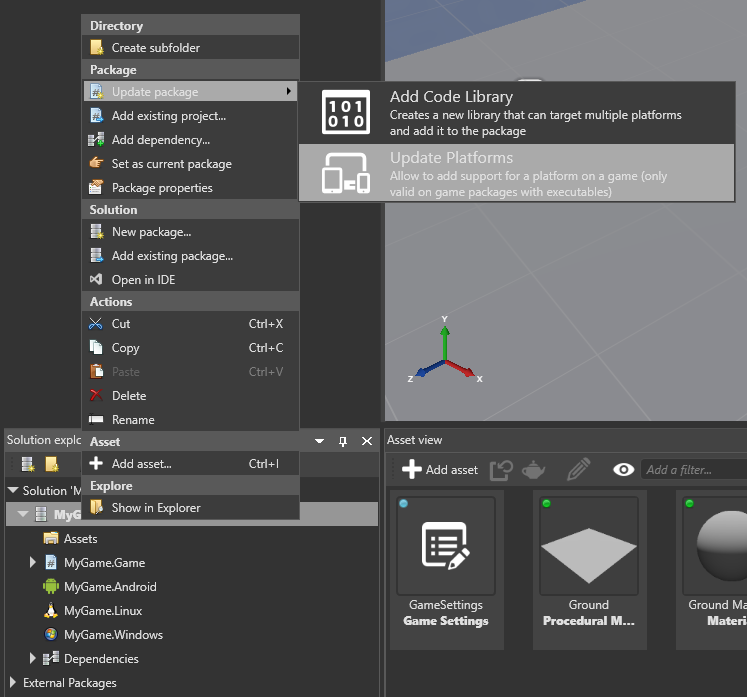
      Update platforms

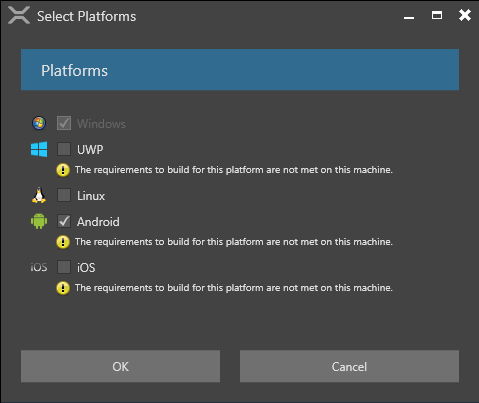
      The Select Platforms dialog opens.

      Select platforms

    2. Select the platforms you want to support and click OK.

    3. Reload the assemblies by clicking the Reload game assembles button in the toolbar.
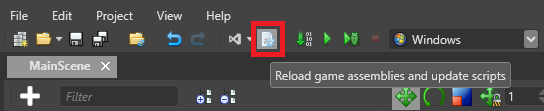
      Reload assemblies

    The supported platforms are updated. To refresh the platforms list in the toolbar, restart Game Studio.

    See also

    • Platforms
    • Improve this Doc

    Back to top

    Copyright © 2016 Silicon Studio
    Generated by DocFX