Point lights
Beginner Designer Artist
Point lights emit light in all directions within a sphere. They're useful for simulating sources of local light, such as lamps and lightbulbs. They cast shadows.
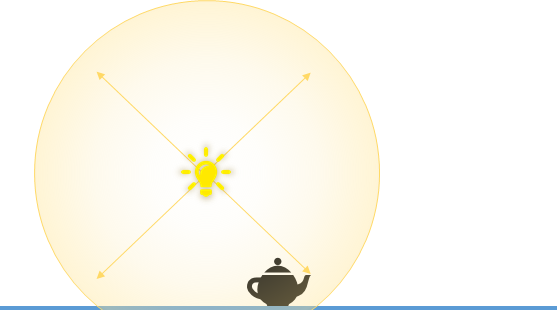
The scene editor shows the position of point lights with the following icon:

Once selected, the point light gizmo displays the sphere in which it projects light:
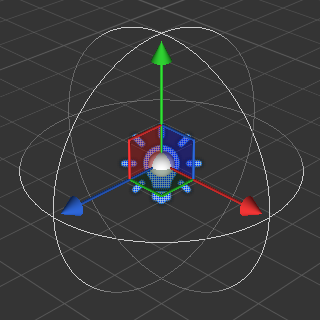
Properties
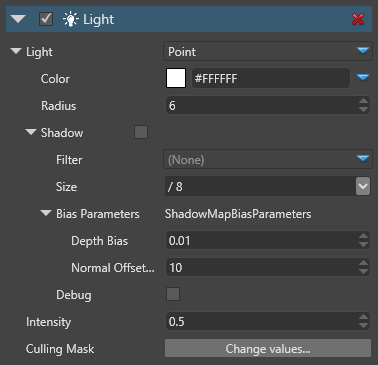
| Property | Description |
|---|---|
| Color | The color of the light (RGB) |
| Radius | The sphere influence radius in world units. Beyond this range, the light doesn't affect models |
| Shadow | If shadows are enabled, the light casts shadows. Filter: Produces soft shadows instead of hard shadows via PCF (Percentage Closer Filtering) Size: The size of texture to use for shadowing mapping. Larger textures produce better shadows edges, but are much more costly. For more information, see Shadows |
| Bias Parameters | These parameters are used to avoid some artifacts of the shadow map technique. Depth Bias: The amount of depth to add to the sampling depth to avoid shadow acne Normal Offset Scale: A factor multiplied by the depth bias toward the normal |
| Intensity | The intensity of the light. The color is multiplied by this value before being sent to the shader. Note: negative values produce darkness and have unpredictable effects |
| Culling Mask | Which entity groups are affected by this light. By default, all groups are affected |