Xenko

OPEN / CLOSE
  • Features
  • Blog
  • Documentation
  • Community
(icon) Download

  • Facebook
  • Twitter
  • YouTube

LANGUAGE

OPEN / CLOSE
  • English
  • Manual
  • API
  • Release notes
    Show / Hide Table of Contents

    Sprites

    2D applications are made of sprites.
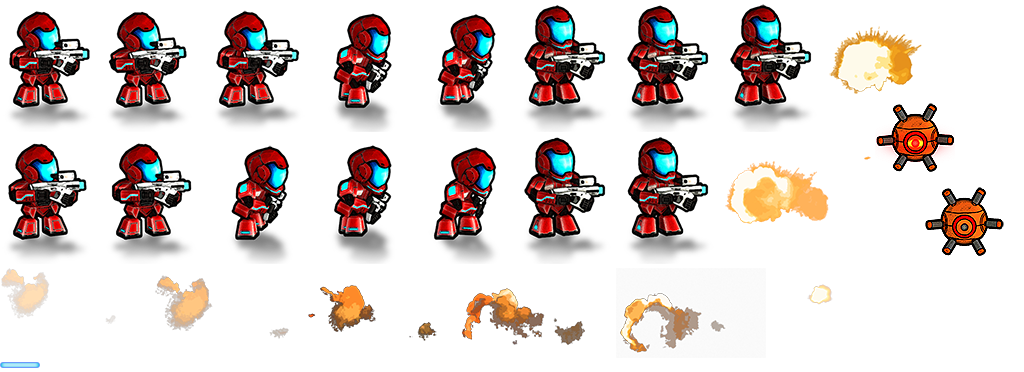
    Sprite sheet

    The most efficient way to render sprites is to add them all to a sprite sheet, a single image. You can then define regions of the sprite sheet as different sprites in Game Studio's Sprite Editor. After you define sprites, you can add them to entities using sprite components and render them with scripts.

    In this section

    • Import sprite sheets
    • Edit sprites
      • Set sprite borders
    • Use sprites
    • Improve this Doc

    Back to top

    Copyright © 2016 Silicon Studio
    Generated by DocFX