
License Configuration
This page describes how to configure and activate your license.
Your Anaconda Enterprise license is included in your Welcome email from Anaconda, Inc.
Contact Priority Support if you cannot locate your Welcome email.
Online License Activation
Find your Anaconda Enterprise license code included in your Welcome email. The license code is an 18-digit number.
Navigate to the Configuration tab of the Anaconda Enterprise Operations Center.
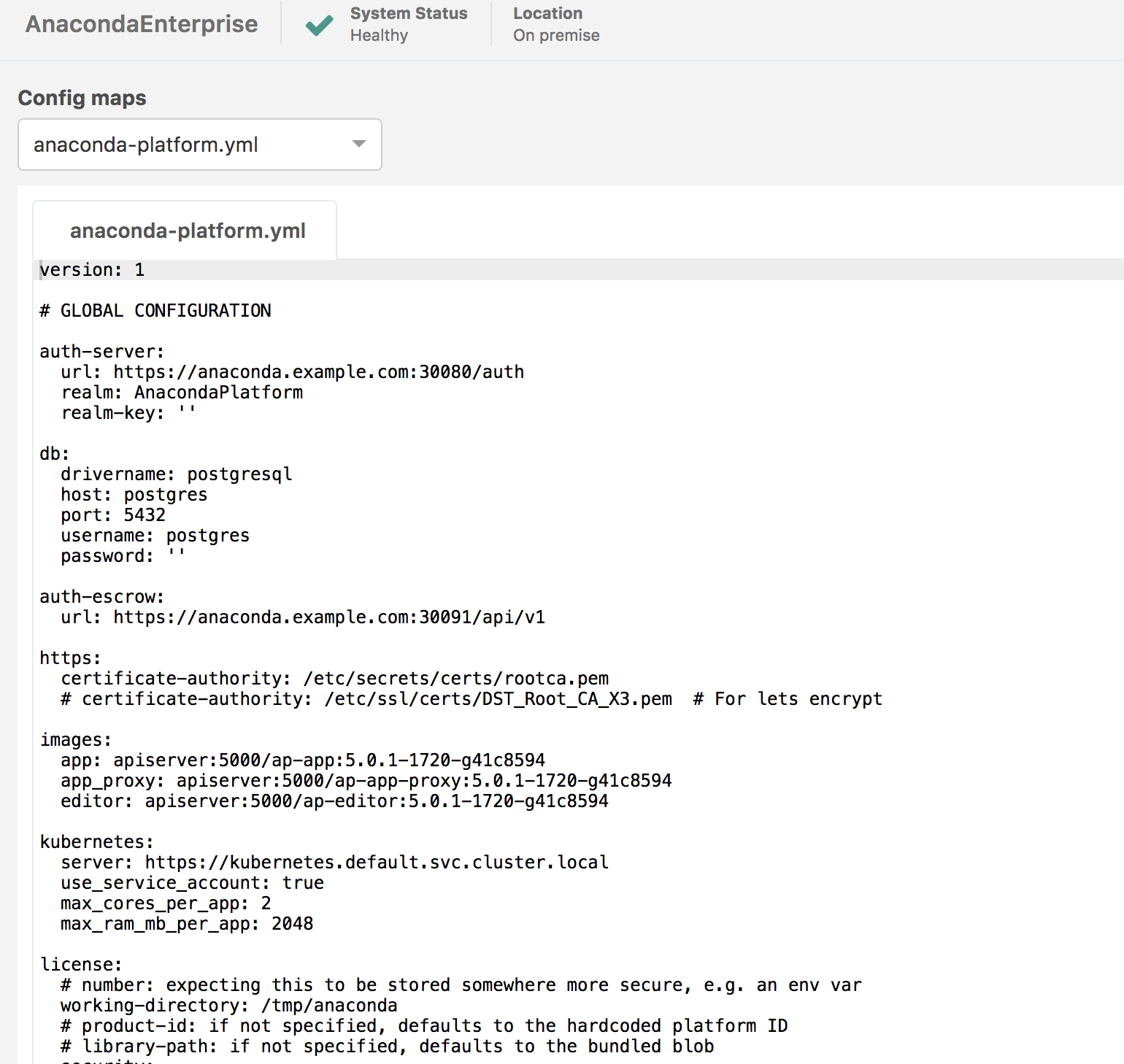
Scroll down to the License section, paste the license code as shown and click Apply:
license:
  number: PASTE_LICENSE_CODE_HERE
Restart the Enterprise UI service:
sudo gravity enter
kubectl get pods | grep ap-ui | cut -d' ' -f1 | xargs kubectl delete pods
Confirm that the online license was activated by viewing the logs for the ap-ui container in the Anaconda Enterprise Operations Center:
2017-08-28 19:36:13.955 UTC INFO      ---- loaded license: LicenseStatus.ONLINE_CONCURRENT ---- [root]
2017-08-28 19:36:13.956 UTC INFO           expiring at 2017-08-29 14:36:05 (in 86392 seconds) [root]
Offline License Activation
An offline license can be used for air gapped installations or secure offline clusters.
Obtain an offline Enterprise license “number” and key from your License Fulfillment email. The “number” is an alphanumeric string, and the key is a longer alphanumeric string.
Navigate to the Configuration tab of the Anaconda Enterprise Operations Center.
Paste the offline license number and key into the following configuration section and click Apply:
license:
  number: PASTE_LICENSE_NUMBER_HERE
  key: PASTE_LICENSE_KEY_HERE
Restart the Anaconda Enterprise UI service:
sudo gravity enter
kubectl get pods | grep ap-ui | cut -d' ' -f1 | xargs kubectl delete pods
Confirm that the offline license was activated by viewing the logs for the ap-ui container in the Anaconda Enterprise Operations Center:
2017-08-28 18:56:52.932 UTC WARNING  Attempting offline activation for computer ID: yVd4H410uAnDCw2tbjtb [root]
2017-08-28 18:56:52.942 UTC INFO      ---- loaded license: PassiveLicenseStatus.FULL ---- [root]
2017-08-28 18:56:52.943 UTC INFO           expiring at 2018-08-28 13:56:52.942696 (in 31536000 seconds) [root]
Expired License
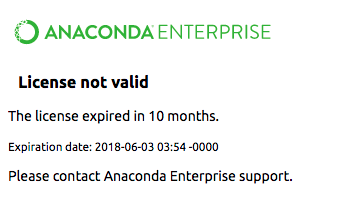
After your Anaconda Enterprise license expires, you will see the following message upon accessing the Anaconda Enterprise interface:
For licenses that were activated using the online method, contact your sales representative to renew your subscription period. In the case of online license activation, your license can be renewed and extended remotely without modifying your license code or configuration.
For licenses that were activated using the offline method, contact your sales representative to renew your subscription period and obtain a new license “number” and key. Then, follow the above steps for Offline License Activation and input your new license “number” and key.