Manage deployment tokens
Tokens allow you to control access to a deployment you want to share. You can use tokens on any deployed project in Anaconda Enterprise.
To manage deployment tokens for a deployment:
From the top navigation bar, click Deployments.
In the Deployments list, click the name of the deployment you want to share by using a token.
On the left side-menu, click Advanced.
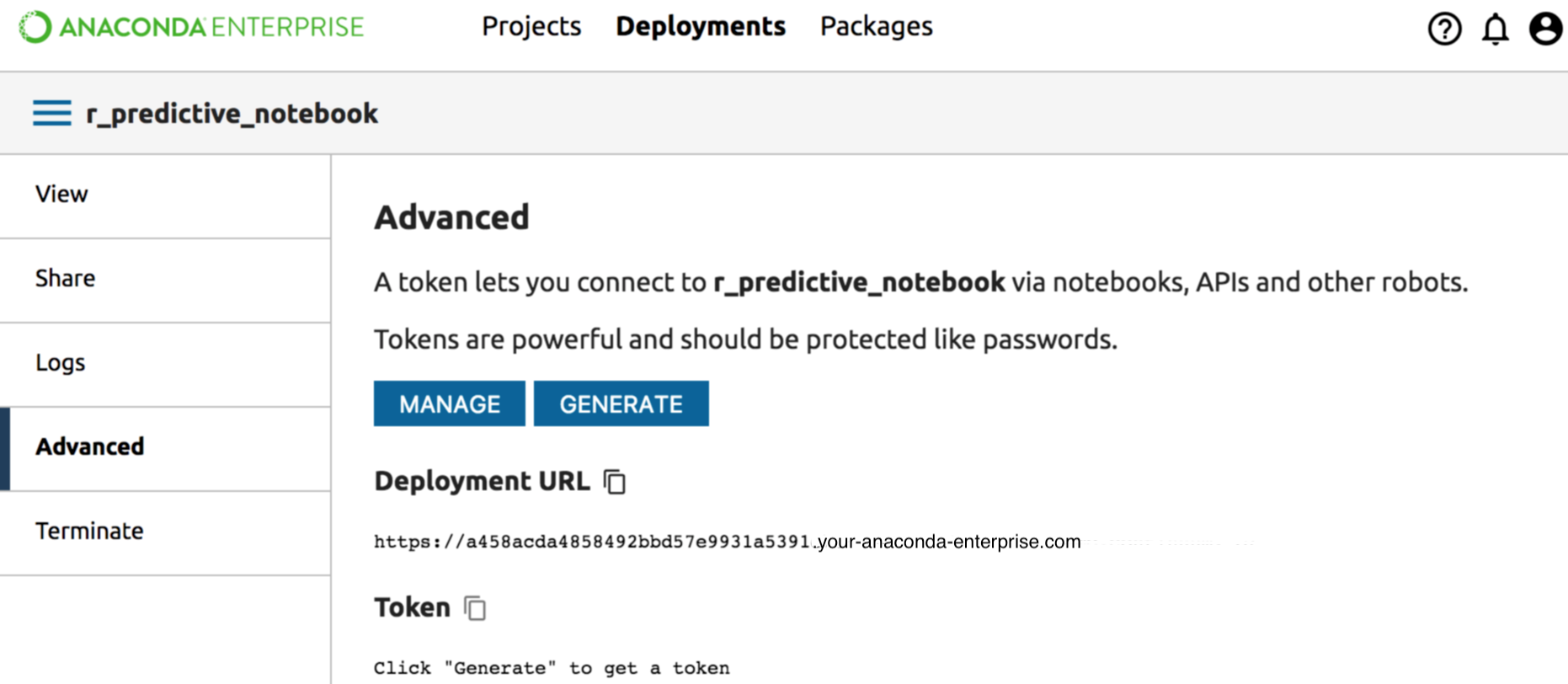
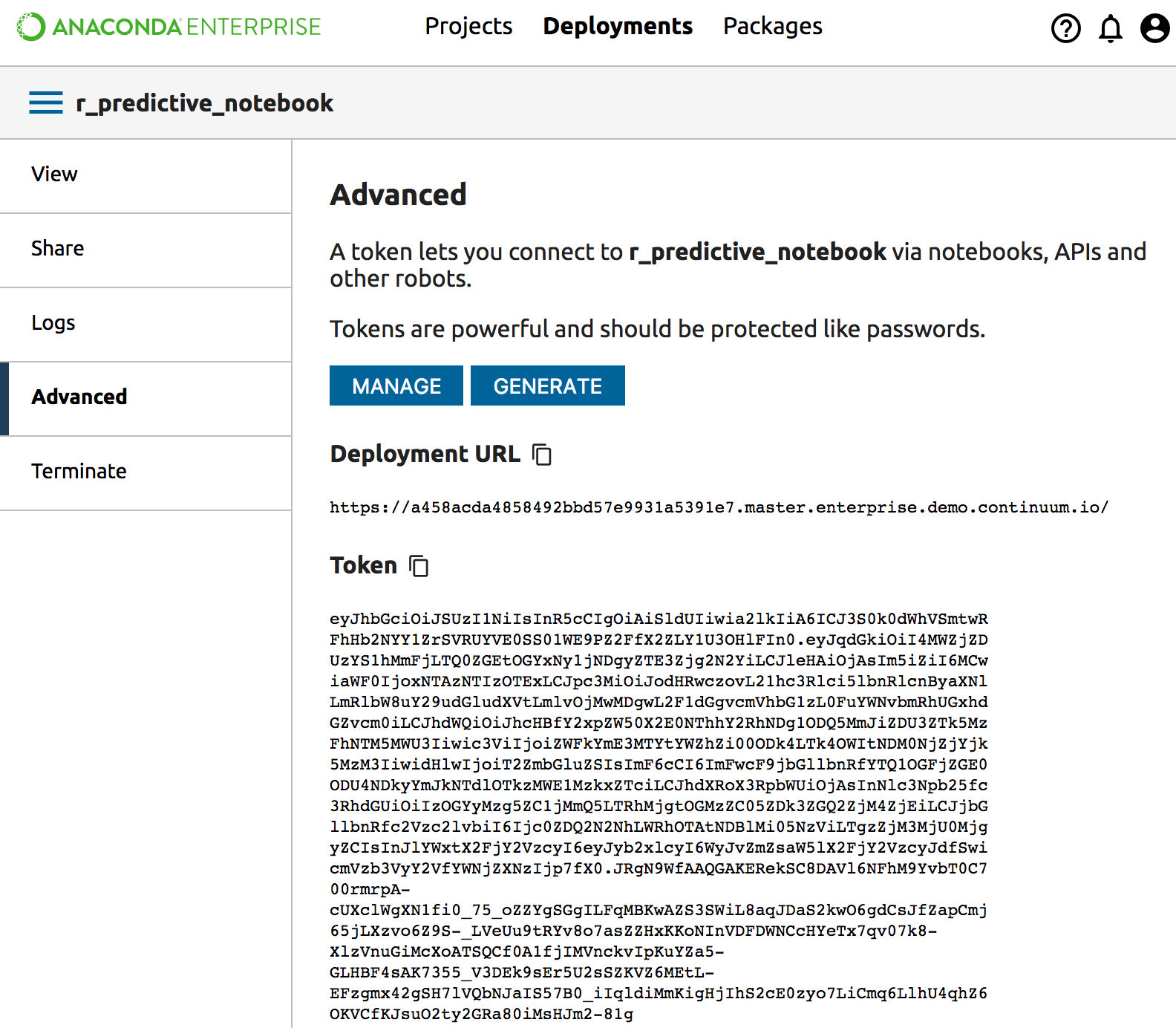
Click the Generate button to generate a new token. Copy it to the clipboard with the Copy icon, or by copying it with mouse or keyboard shortcuts like any other text. Use this token to connect to the deployment from Notebooks, APIs and other running code.
Revoke tokens
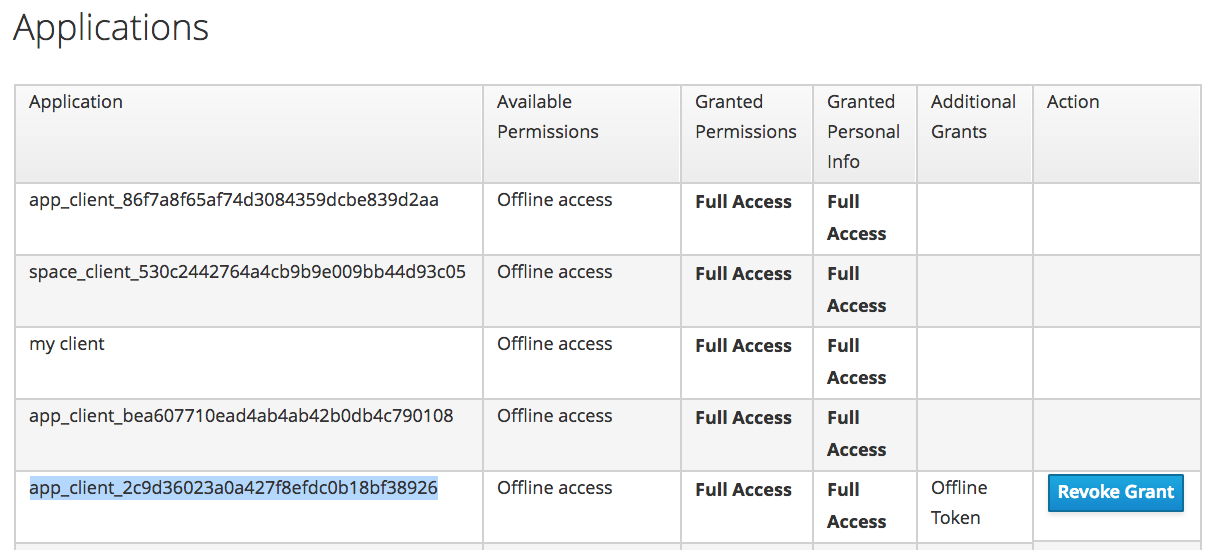
To revoke a token, click the Manage button. Scroll down the list to the token
you want to revoke. In this example, the token we are looking for is
https://2c9d36023a0a427f8efdc0b18bf38926.your-server-name.com/
In the Action column, click the Revoke Grant button.